The office intercom for eye care offices

This lane is ready for the doctor.

Ask for drops, contacts or the doctor without leaving the room. Share messages and tasks.

Get early access

Everything here, for $10 a month for your whole office.

A live demo office: press a key and every other device gets the page

Pre-test 1Technician

Quick Pages

Lane 1Optometrist

Lane 1 · iPad
Office mapDemo office
Lane 1
Lane 2
Pre-test 1
Optical
Front desk
Quick Pages

Front deskMaya

Office mapDemo office
Lane 1
Lane 2
Pre-test 1
Optical
Front desk
Lane 2

Pages 0Tap to clear

Lane 2Sam

Pages 08:14

OpticalJo

Live demo

Every page has its own sound. Press a key on any computer, or tap the phone or watch, and listen.

What setup starts with

Setup offers about 40 kinds of business plus General. Every room, job and page can be renamed.

Jobs

  • Optometrist
  • Technician
  • Optician
  • Front Desk
  • Office Manager

Pages

  • Drops needed · F1
  • Contacts needed · F2
  • Frames needed · F3
  • Cleaner needed · F4
  • Ready for doctor · F5
  • Tech needed · F6
  • Fitting help · F7
  • Ready for optical · F8
  • Checkout ready
  • Dilation done
  • Lane cleanup
  • Call for you
  • Emergency
  • Do not disturb

Setup asks which room each computer is in; you add the other rooms on the Office map.

F1–F8 are the default keys for this computer’s selected pages. Setup lets you change that selection; the other starting pages have no key until you choose them.

Emergency alerts your team. It doesn't call 911 and isn't an alarm system.

A day in that office

Pre-test hands off to the doctor

In an exam lane, press F5 for “Ready for doctor”. When a teammate clears the page, everyone sees who answered.

The top bar with pages from Hyg 3, Op 1 and Hyg 1: an Emergency in red, Patient ready waiting, and a page cleared by Dr. Lee.

The optical needs a hand

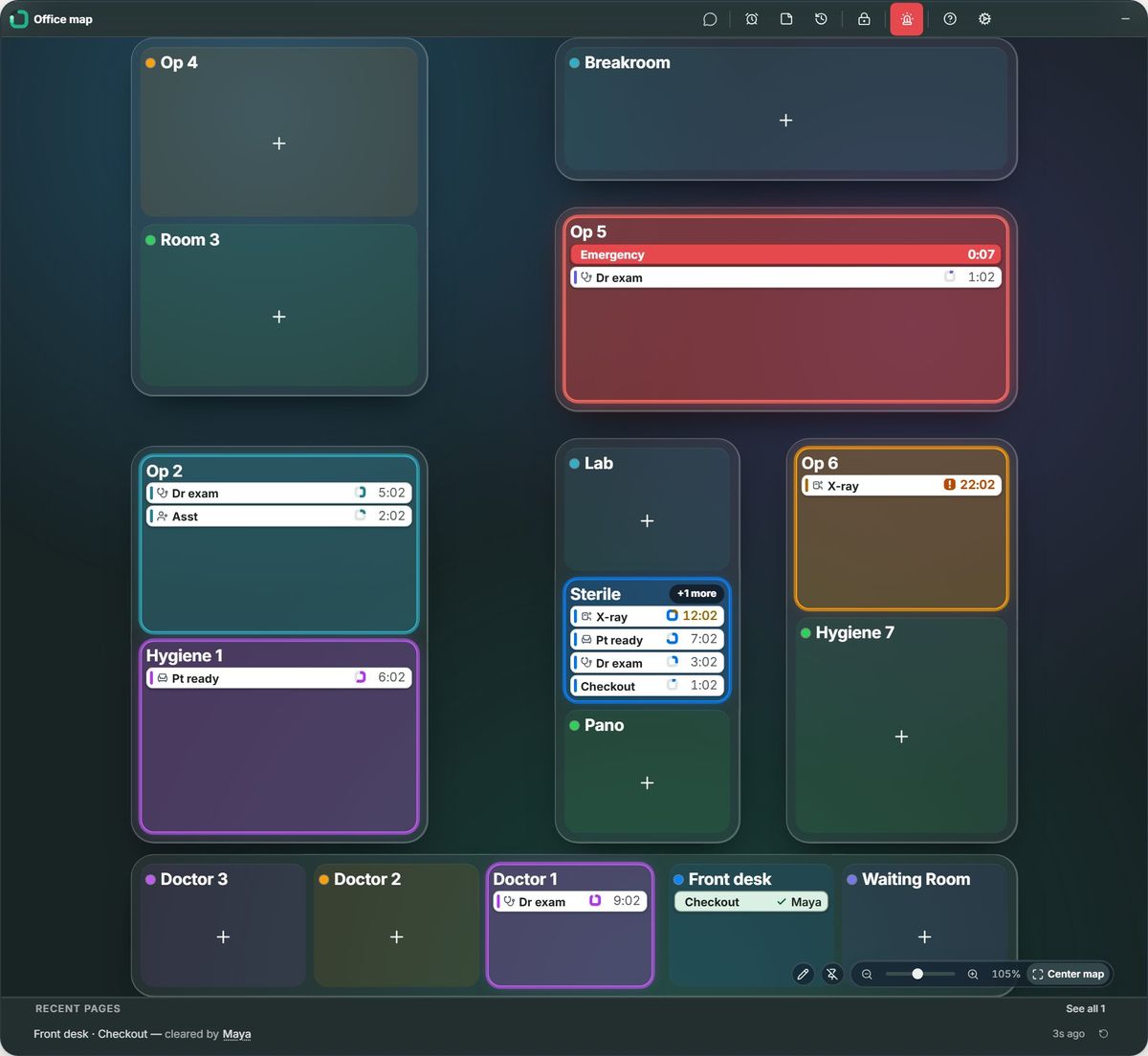
The Office map brings pre-test, exam lanes and the optical into one view, with waiting pages beside their rooms.

The Office map: rooms laid out like the office, Op 5 red with an Emergency, other rooms lit with their waiting pages.

A reminder in the lane

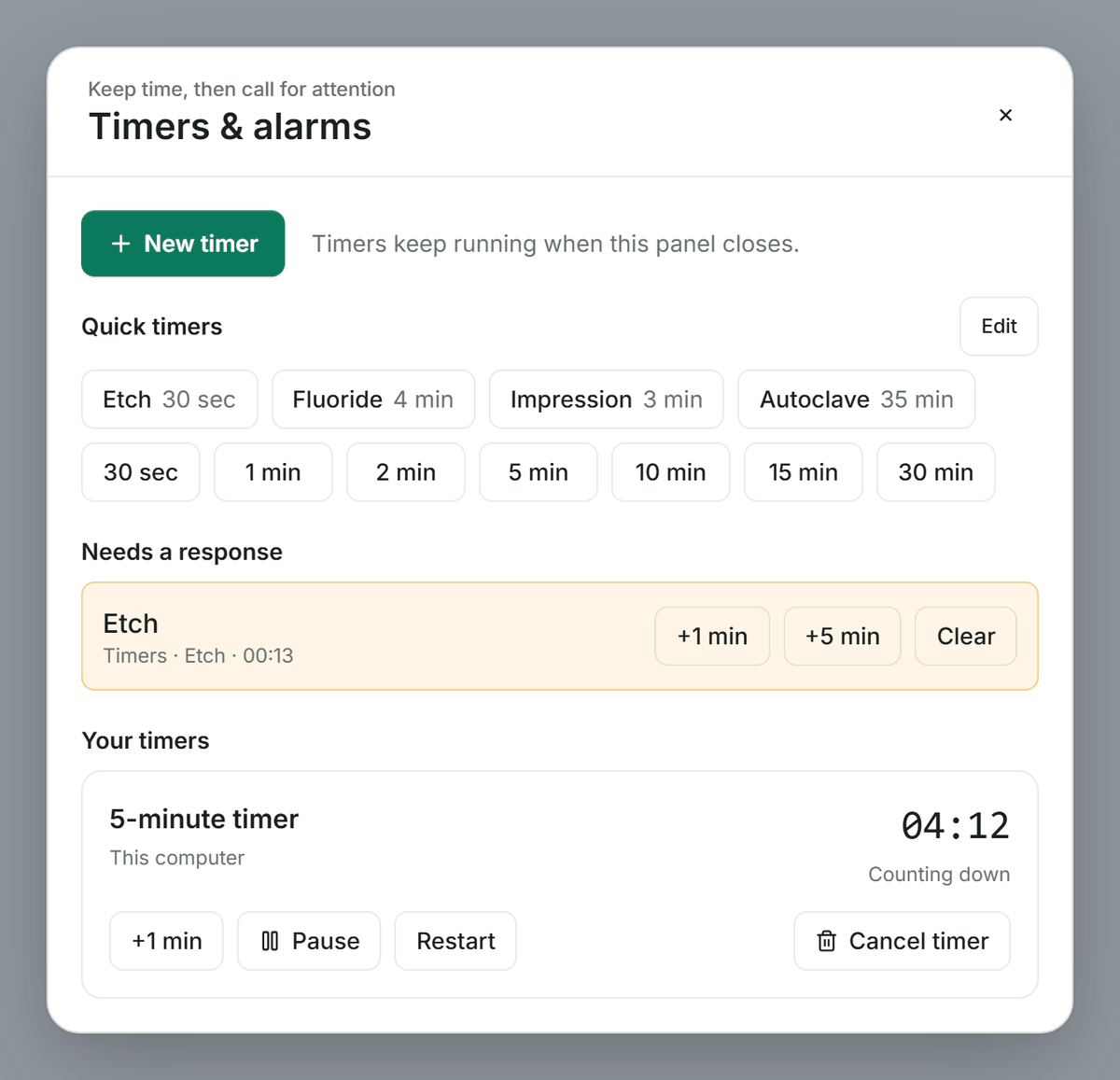
Start a timer when the drops go in. Timers count down and ring on the computer where they were started.

Timers & alarms with quick timers, a reminder needing a response, and a running five-minute timer.

Ready before the first arrival

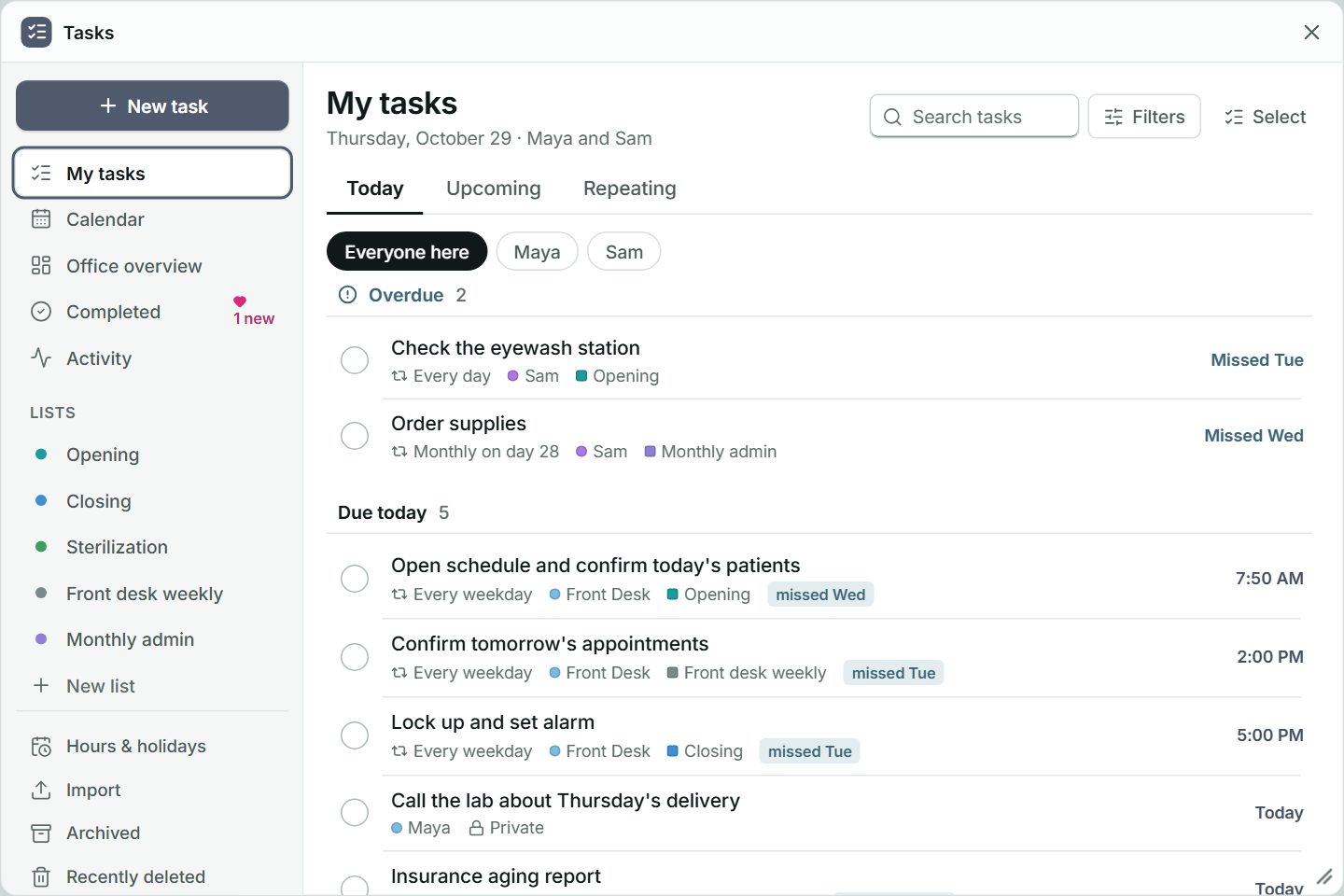
Put opening and closing jobs in Tasks: straighten the frame displays, restock cleaning cloths and tidy the optical.

Tasks open on My tasks for Maya and Sam: overdue and due-today tasks with their repeats and lists.

UpBeep is not designed to create, receive, maintain or transmit protected health information (PHI) as defined by HIPAA. Offices should not enter patient names or other health information in pages, messages, voice messages, tasks or notes, whether in the office or away. UpBeep does not enter into business associate agreements.

One price for the whole office

Everything here, for $10 a month for your whole office.

See what your office could save

Get early access

Try the home demo